 Esapanel
Always encrypted
Plain FTP is never accepted. The devices go out toward the server of the copies: no inbound port has to be opened in the office network.
Modules › WFP
WFP · Web File
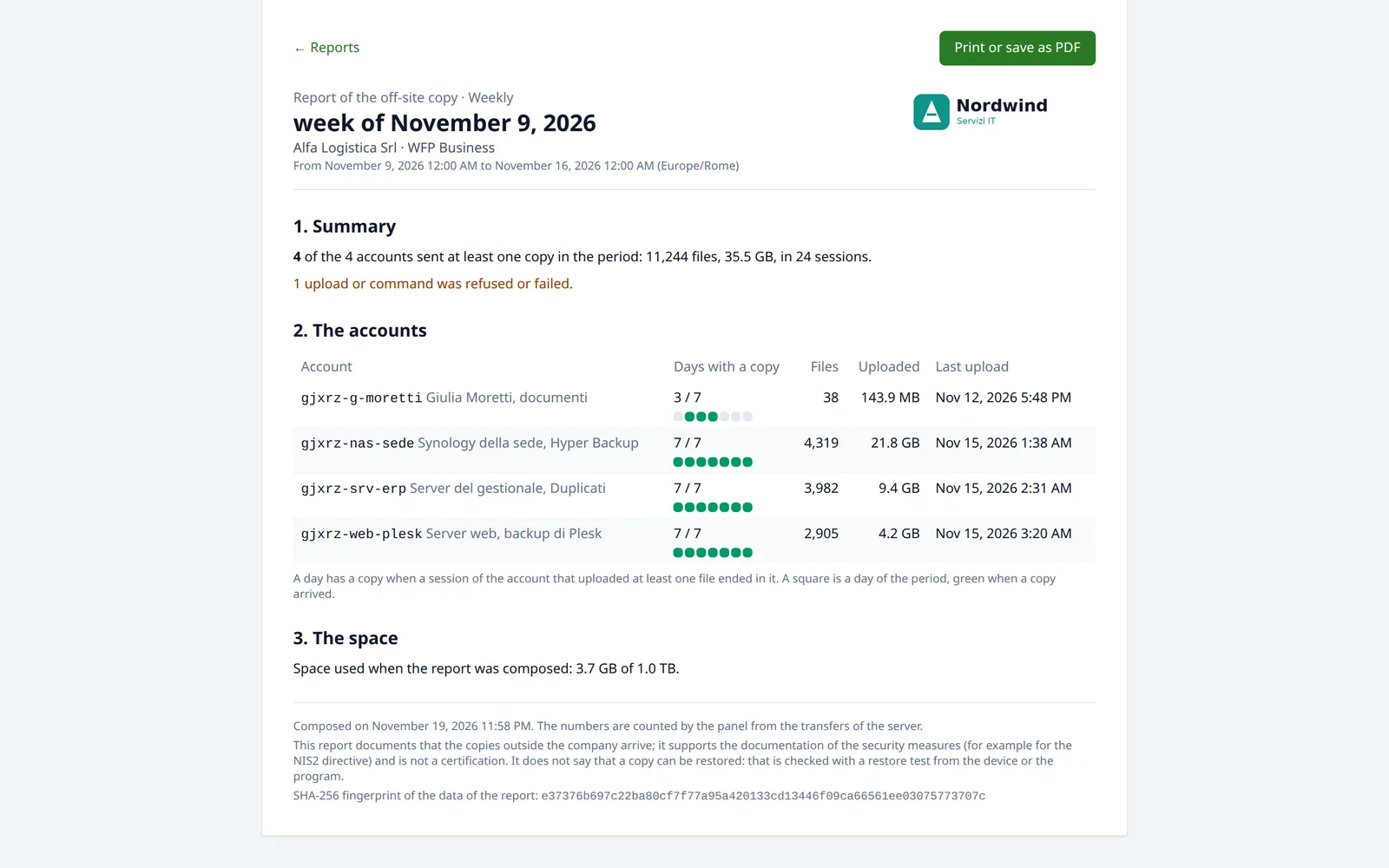
WFP (Web File) offers an off-site space where NAS, servers and PCs send their backups and file copies, with the programs already in use. The panel does not just receive the files: it shows when each device last uploaded, warns if one stops uploading, and prepares every week and every month a report with the days the copies arrived.
Synology Hyper Backup, QNAP Hybrid Backup Sync, Duplicati, the Plesk Backup Manager, rsync, FileZilla, WinSCP: each device sends its copies in the protocol it knows.
Synology Hyper Backup and Linux servers.
Duplicati, WinSCP, FileZilla.
The Plesk Backup Manager, FileZilla.
QNAP Hybrid Backup Sync.
Plain FTP is never accepted. The devices go out toward the server of the copies: no inbound port has to be opened in the office network.
Every file arrives as a new file: an interrupted copy does not spoil the one before.
When you create an account you choose the program that sends the copies: the panel shows the steps for that program, with server, port, username and folder already written.
WFP is a destination for copies, not a network drive: it is not mounted as a drive on the PCs and it does not replace the office NAS.
A backup that stops running makes no noise. The panel notices, and says so by email.
A report every week, composed on Monday, and one every month, composed on the first. When it is ready an email arrives with the link.
Reports and NIS2. The directive asks you to document the security measures, backups among them. The reports say, day by day, that the copies arrived off site. That they can be restored is shown by a restore test, to be done from time to time from the device or the program.
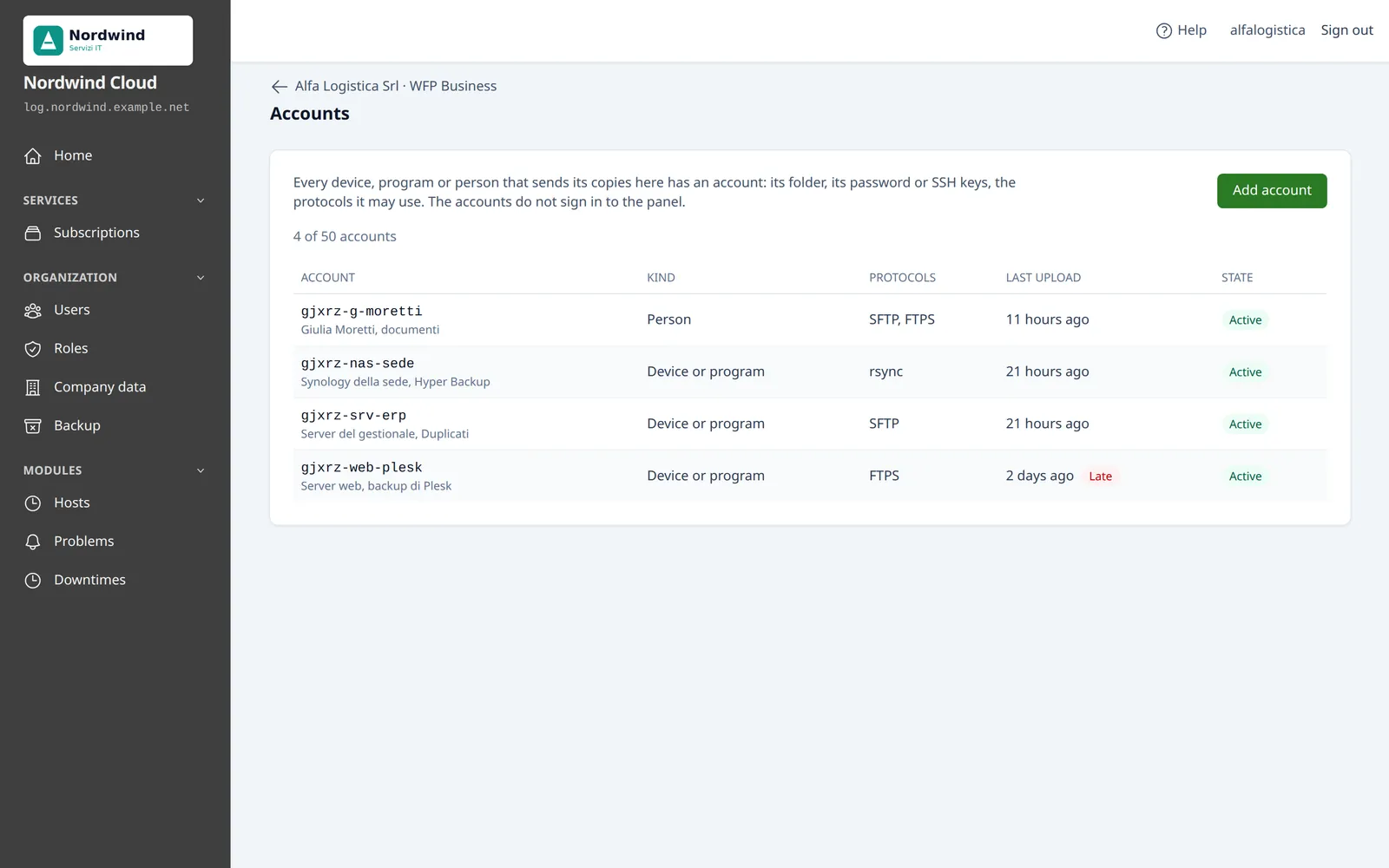
Every device, program or person that sends copies has its own account: its folder, its password or its SSH keys, its protocols. So you always know who uploaded, and you can stop one without touching the others.
Each protocol is a door into the folder: you turn on only those the program uses.
A device compromised or retired no longer signs in, and its sessions end at once. The files stay.
Folders of the subscription that several accounts see together, for people who leave documents in the same place.
Only who sends the copies can read them. With the encryption of the program turned on (Hyper Backup, Hybrid Backup Sync, Duplicati, Plesk) and the password kept outside the device, who runs the server keeps data it cannot read.
The space grows with the disks, and the copies can in turn have a copy in another place.
The copies are kept in one or more datastores, each one best on a disk of its own. A new disk is added with one command; new subscriptions are created in the datastore you choose.
The Remote copy service sends every night the copies of a subscription to a second Esapanel server with WFP, in another place. It sends only what changed, with the bandwidth you decide.
Every night the panel compares the folders, owners, permissions, users and groups on the server with what it knows. Repair puts everything back in order, without deleting any file.
Accounts, passwords, keys, shared folders and reports are in the backups of the panel. After a restore the programs sign in again with the same credentials.
Space, accounts, shared folders and activity can also be managed through the API, for provisioning and for monitoring systems.
Whoever holds the license decides what each plan offers. For WFP the plan of a subscription sets:
The trial license lasts 15 days. How to create the accounts and connect the programs is in the documentation.