Esapanel Italiano Free trial

Modules › DRP

DRP · DMARC Report

DMARC reports, in a form you can read.

Every day the large mail receivers send a report on who sent messages in the name of a domain. They are XML files that are hard to read. DRP (DMARC Report) collects them and shows them in a readable way.

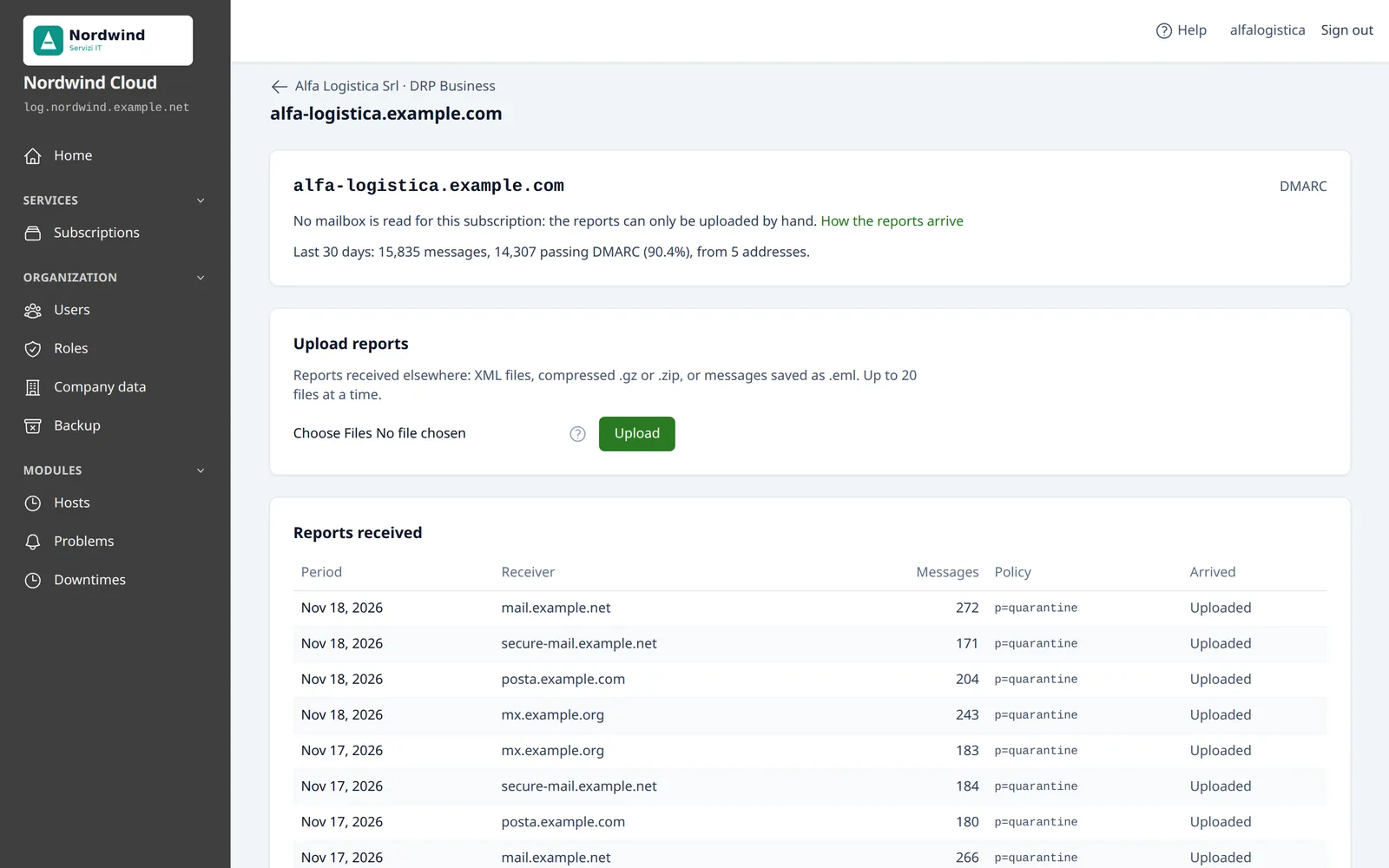
The page of a domain in DRP, with the DMARC reports received
A domain with its DMARC reports: how many messages, how many pass DMARC, where they come from. Sample data.

The two questions it answers

DMARC is the DNS record that tells mail servers how to treat the messages that use a domain as sender without being authorized.

Does all the legitimate mail pass DMARC?

You need to know before making the policy stricter, from p=none to p=quarantine or p=reject: otherwise the real mail would be rejected too. A source of your own that does not pass, such as the newsletter service or the application that sends the invoices, has to be fixed first.
Who sends mail in the name of the domain?

A forgotten service, or someone pretending to be the domain. A source you do not recognize, with many messages that do not pass DMARC, shows at once.

What you see

For each domain, the last 30 days: the messages the receivers counted and how many passed DMARC. Then the reports, one by one.

The sources
For each source address, how many messages it sent
DKIM and SPF
Whether they passed aligned with the domain of the sender
What the receiver did
Delivered, quarantine or rejected
The policy
The DMARC record as the receiver read it
The original
The XML report can always be downloaded
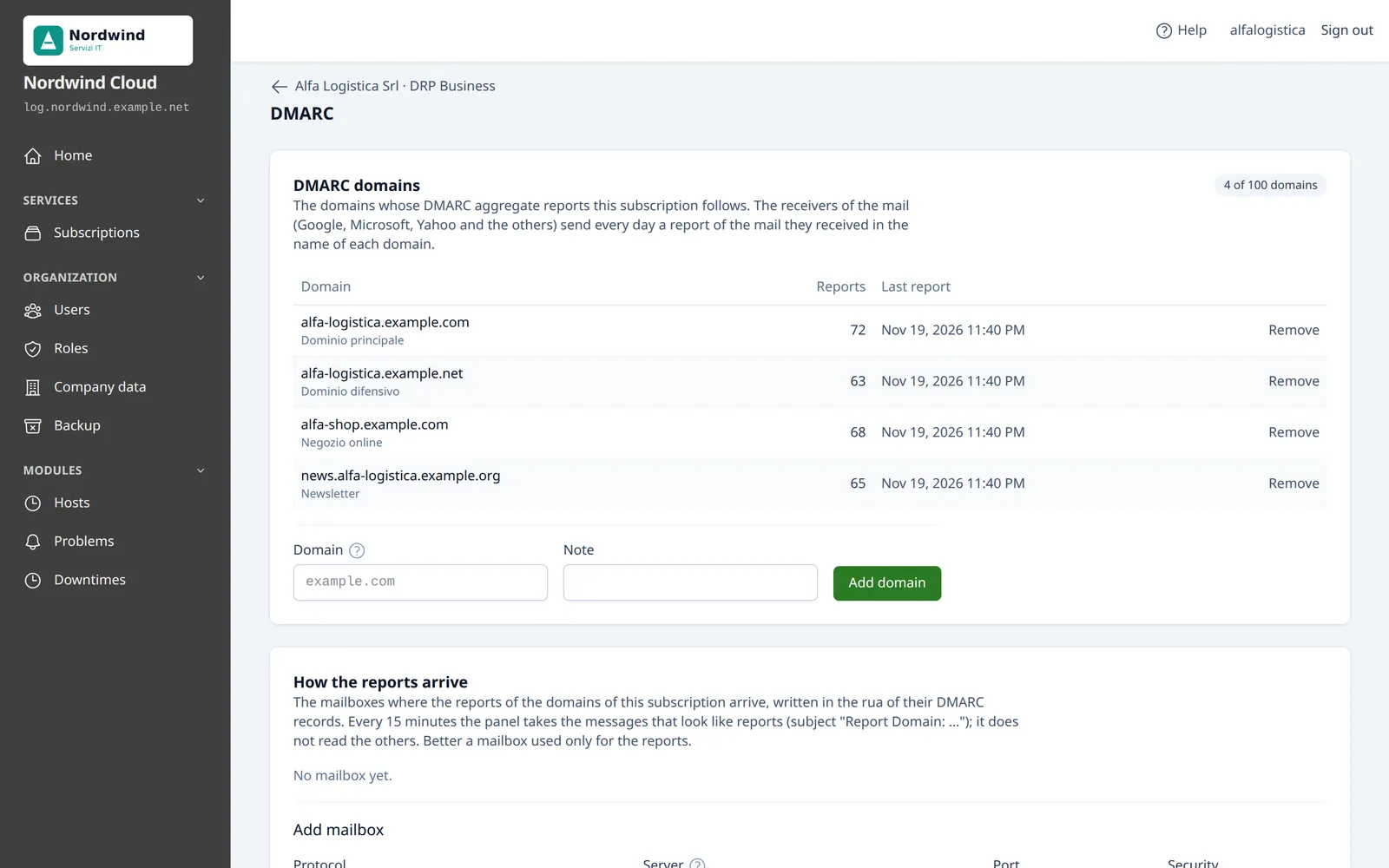
The list of the DMARC domains of a subscription
The domains the subscription follows, with the number of reports and the last one. Sample data.

How the reports arrive

From a mailbox

Every 15 minutes the panel reads the mailbox written in the DMARC record, over IMAP or POP3, always with TLS or STARTTLS. It takes only the messages that are reports; the others are not read.

  • One mailbox serves all the domains whose record names it

Uploaded by hand

XML files, compressed .gz or .zip, or messages saved as .eml: to bring into the panel the history of a domain followed before by another service.

  • A report already received is not written twice

Good to know. DRP reads the aggregate reports (rua); the reports of single failed messages (ruf) are not included. Microsoft 365 mailboxes do not accept IMAP and POP3 with the password: for now they cannot be used.

In your plans

Whoever holds the license decides what each plan offers. For DRP the plan of a subscription sets:

  • The number of domains to follow

Try DRP on your server

The trial license lasts 15 days. How to add the domains and the mailboxes is in the documentation.